Provisioning Servers
Step-by-step guide to provisioning and configuring servers in Sproobo
Provisioning a server in Sproobo is fully automated. This guide walks you through creating your first server.
⚠️
Server creation requires an active or trialing Sproobo subscription. If billing is inactive, provisioning is blocked until you restore your subscription.
- 1
Navigate to Servers
In your dashboard, click on "Servers" in the sidebar.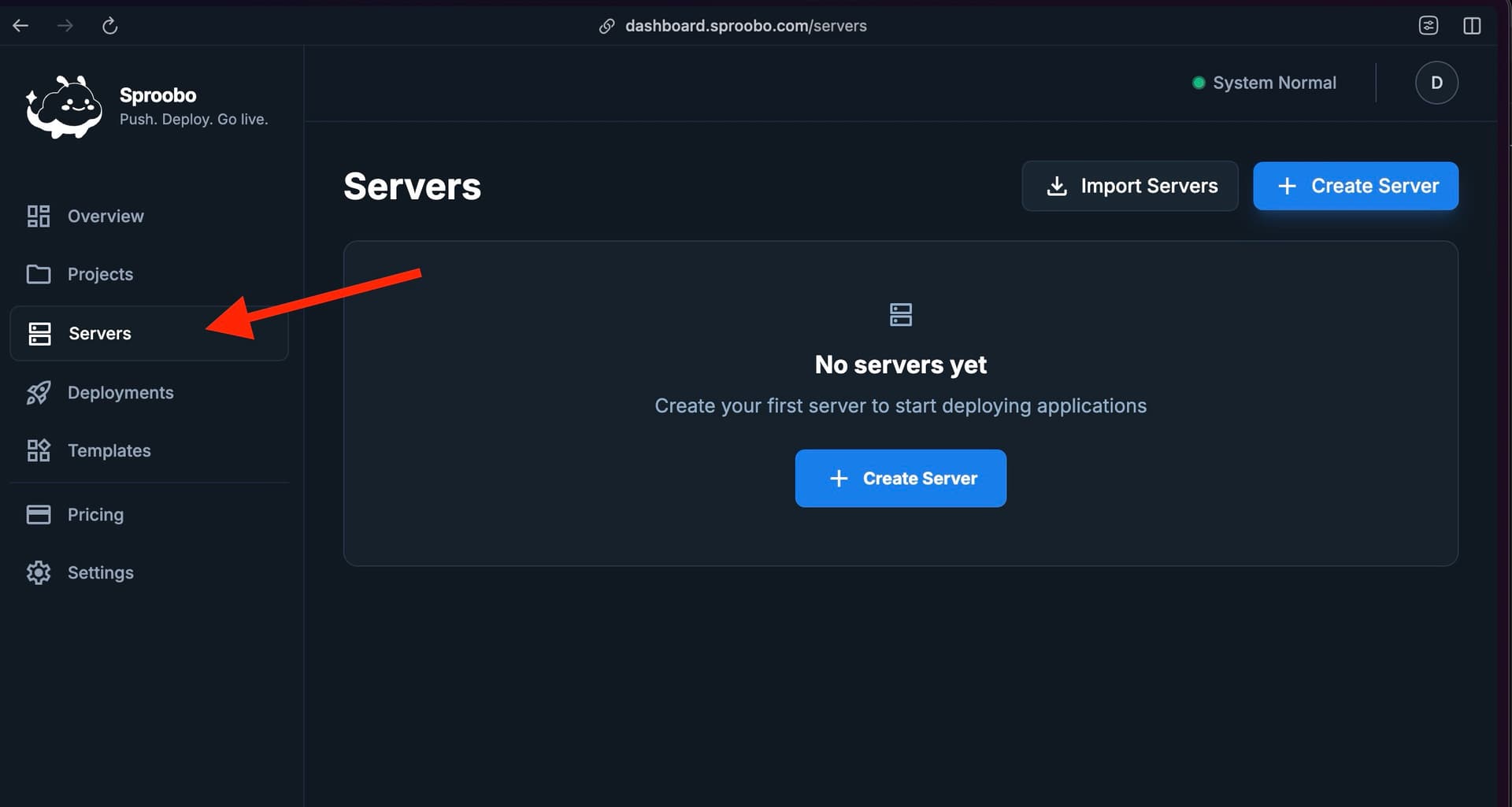
Navigate to the Servers page from your dashboard. - 2
Create Server
Click "Create server". This opens the server creation wizard. - 3
Choose Location
Select the Hetzner datacenter location closest to your users:- Falkenstein (Germany): Central Europe
- Nuremberg (Germany): Central Europe
- Hillsboro (USA): West Coast USA
- Ashburn (USA): East Coast USA
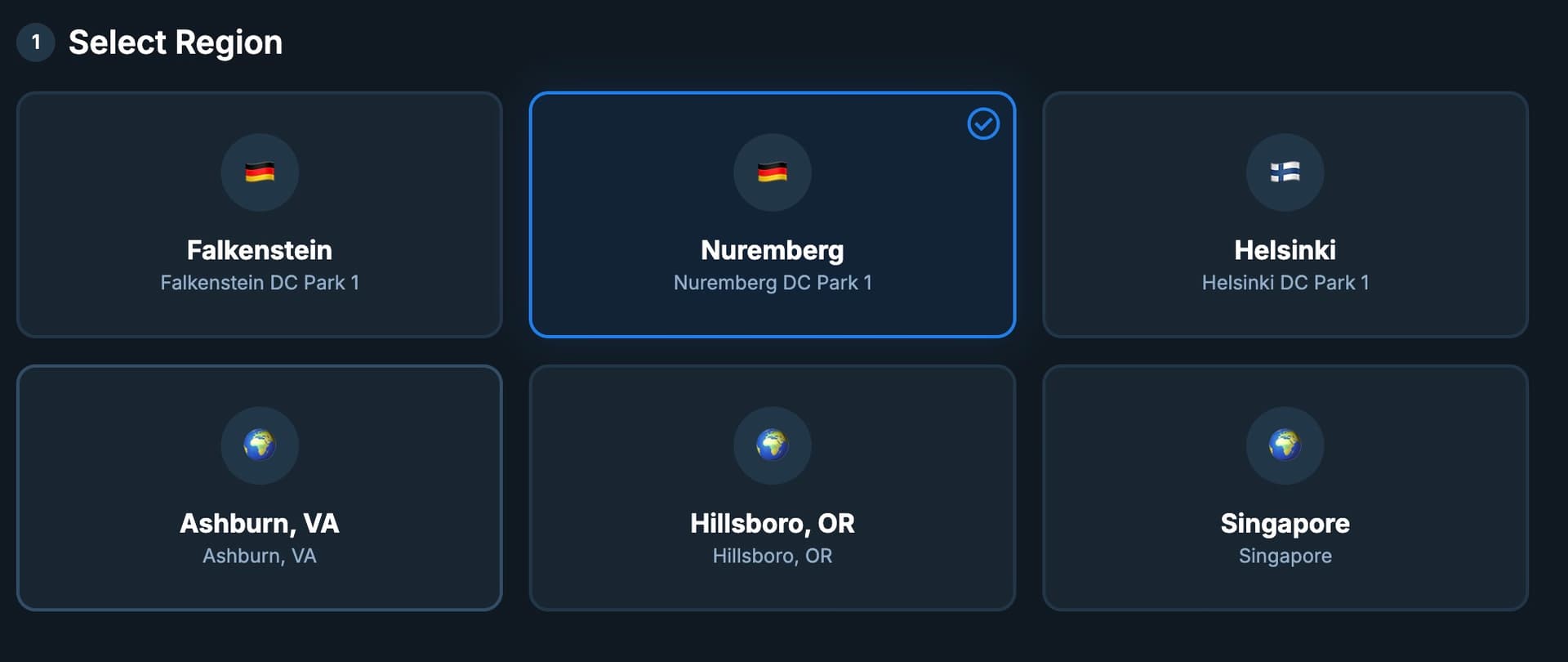
Choose the datacenter location closest to your users. - 4
Choose Server Type
Select the server size that fits your workload. Hetzner offers shared-CPU (CX), dedicated-CPU (CCX), and Arm64 (CAX) instance types at different price points.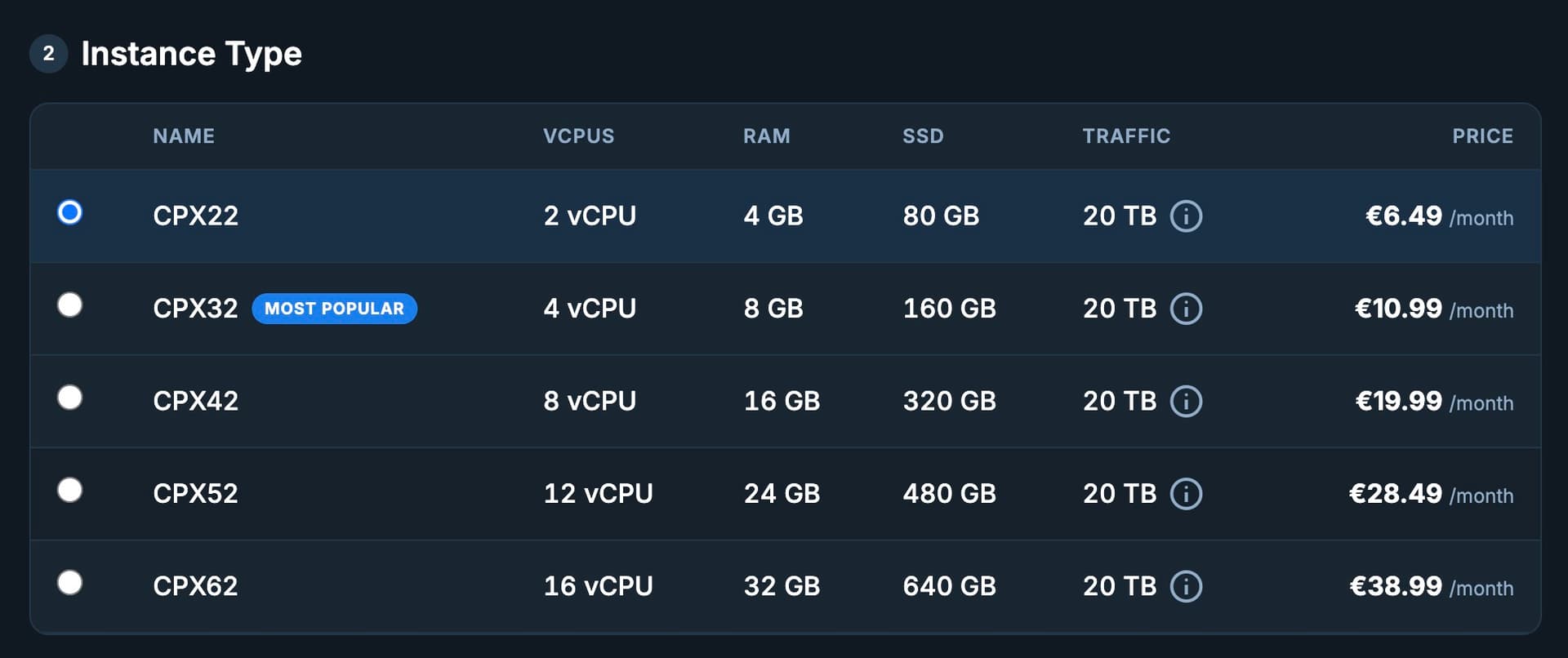
Choose a server type based on your CPU and memory requirements. - 5
Provision Server
Review your selection and click "Create server". Sproobo will begin provisioning immediately.
What Happens During Provisioning
Provisioning runs through an automated 8-phase bootstrap sequence. You can follow the live progress in the dashboard.
Bootstrap Phases
- Phase 0 — Connectivity: SSH access verified, system packages updated, base tools installed (curl, git, jq, gcc)
- Phase 1 — Identity: Hostname set, system info recorded
- Phase 2 — Permissions: Non-root user created with scoped sudo rules
- Phase 3 — Runtime: Node.js (via NVM), PM2, Docker, and Docker Compose installed
- Phase 4 — Web server: nginx installed and configured as reverse proxy
- Phase 5 — TLS: certbot installed and configured for Let's Encrypt
- Phase 6 — Operations: firewalld and fail2ban configured; Sproobo agent installed for metrics and log forwarding
- Phase 7 — Wrap-up: Final checks, cleanup, server marked ready
Server Status
Your server progresses through these states:
- Provisioning — Server being created in Hetzner Cloud
- Bootstrapping — 8-phase setup running on the server
- Ready — Server is bootstrapped and accepting deployments
- Failed — Something went wrong during bootstrap (check the provisioning log for details)
Next Steps
Once your server is ready: